How to scan the QR code on Serbian fiscal receipts
Every Serbian fiscal receipt has a QR code. Scan it in ReceiptStorm to import the store, items and prices from the Tax Administration, free on every plan.
In this guide
The QR code on every Serbian fiscal receipt links to the Tax Administration's record of the purchase. That makes it more reliable than a photo: instead of reading the paper, ReceiptStorm fetches the registered receipt with its store, date, items, quantities and prices. Scanning the QR code is free and unlimited on every plan. If you're new to the app, start with the getting-started guide.
What is the QR code on a Serbian fiscal receipt?
The QR code is a verification link to the receipt as the seller registered it with the Tax Administration. When you scan it, the app fetches that record and its item list. Prices, quantities, the date and the official receipt text stay exactly as issued. Item names get a light AI clean-up: they're written in your Language for item names and given a category, so the receipt works in your statistics like any other.
Two things can look different from the paper. The store name is the one registered with the tax authority, which can differ from the shop sign. And if your item-names language is English, the items appear in English while the official receipt text stays in Serbian.
How to scan a fiscal receipt QR code
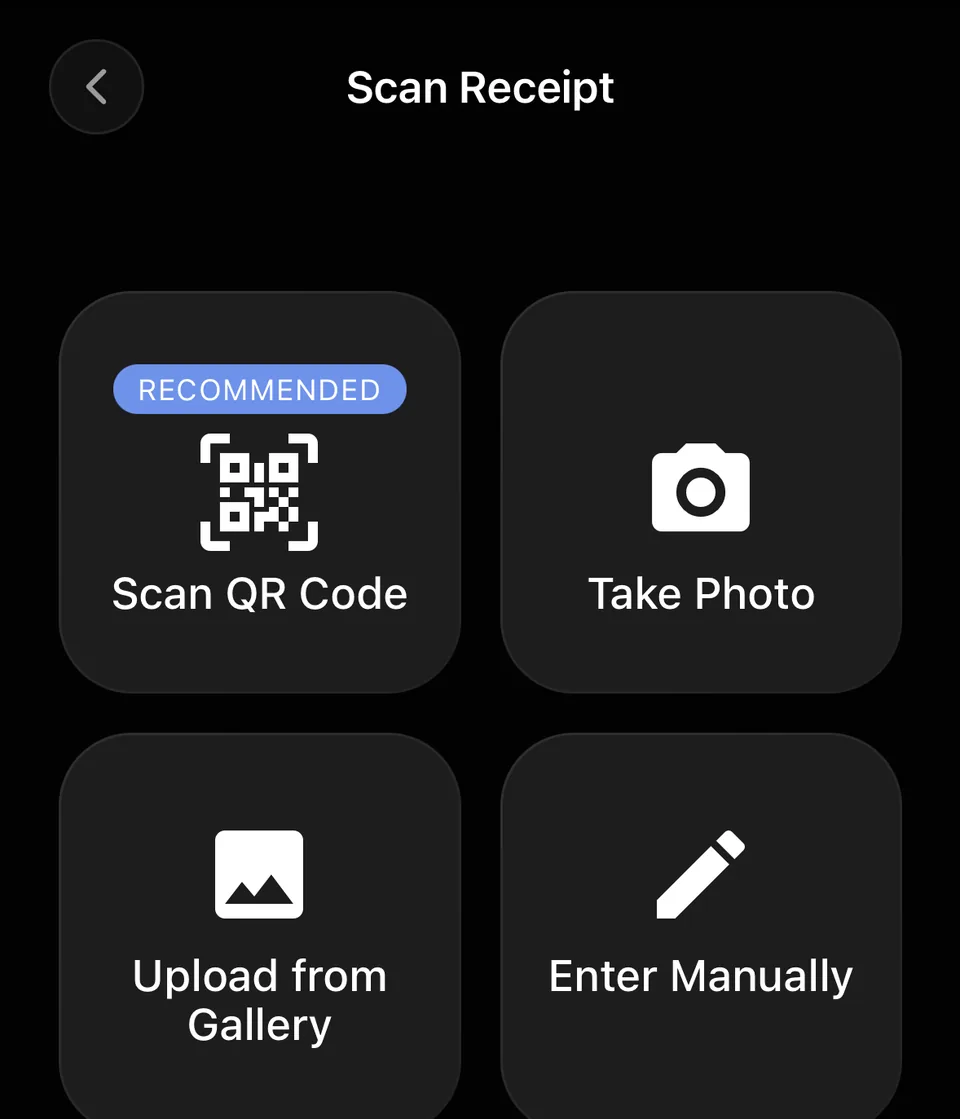
Open the scanner
Tap Scan, then Scan QR Code to open the app's QR scanner. On accounts outside Serbia the same scanner sits below the other options as Receipt from Serbia? Scan its QR code.
Allow the camera
The first time, let ReceiptStorm use the camera.
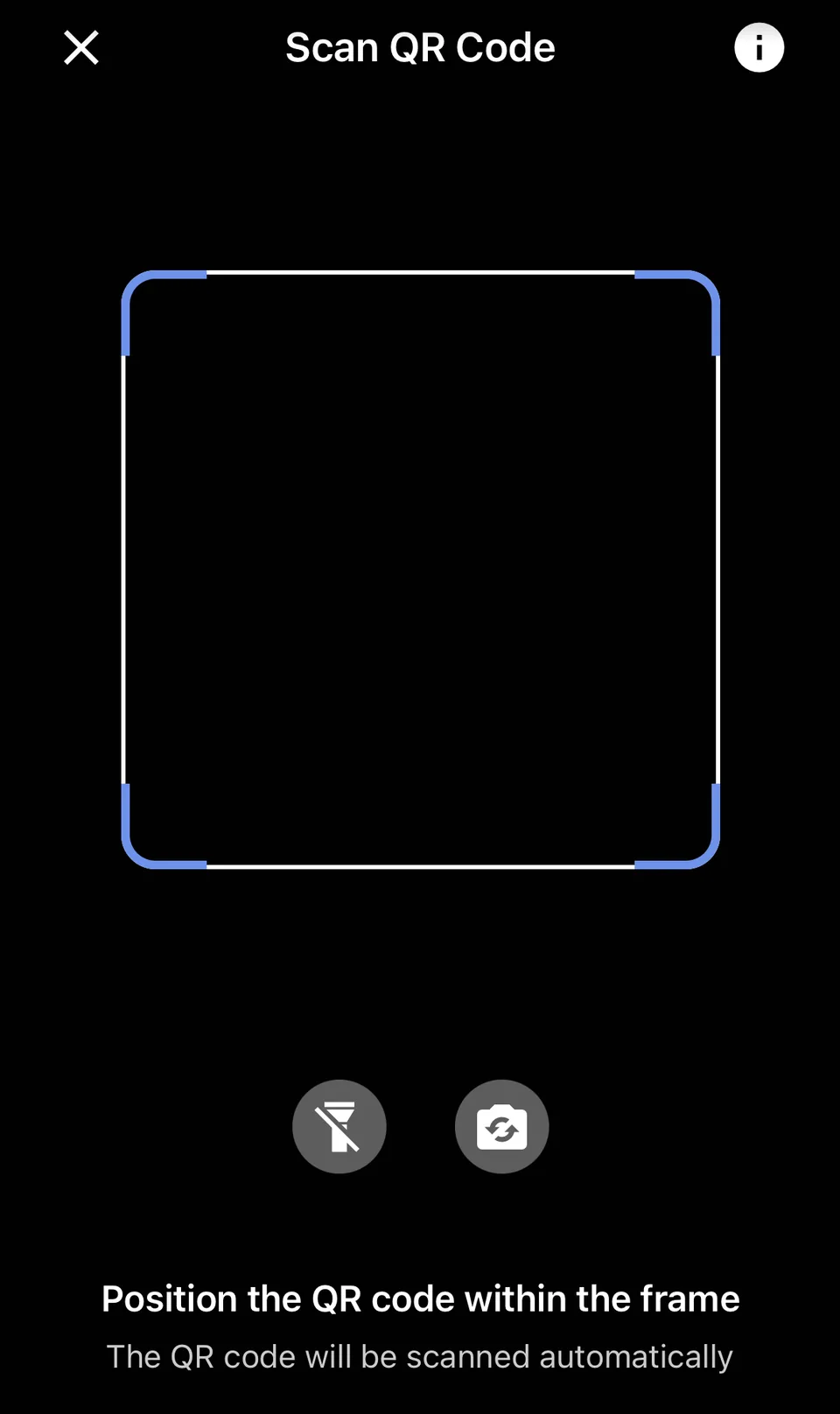
Frame the code
Follow Position the QR code within the frame. The code is scanned automatically, and Scanning Tips reminds you to hold steady, keep the whole code in the frame and use the flashlight in low light.
Wait for the data
Fetching receipt data... and Analyzing items... show while the record is fetched and the items are named.
Save
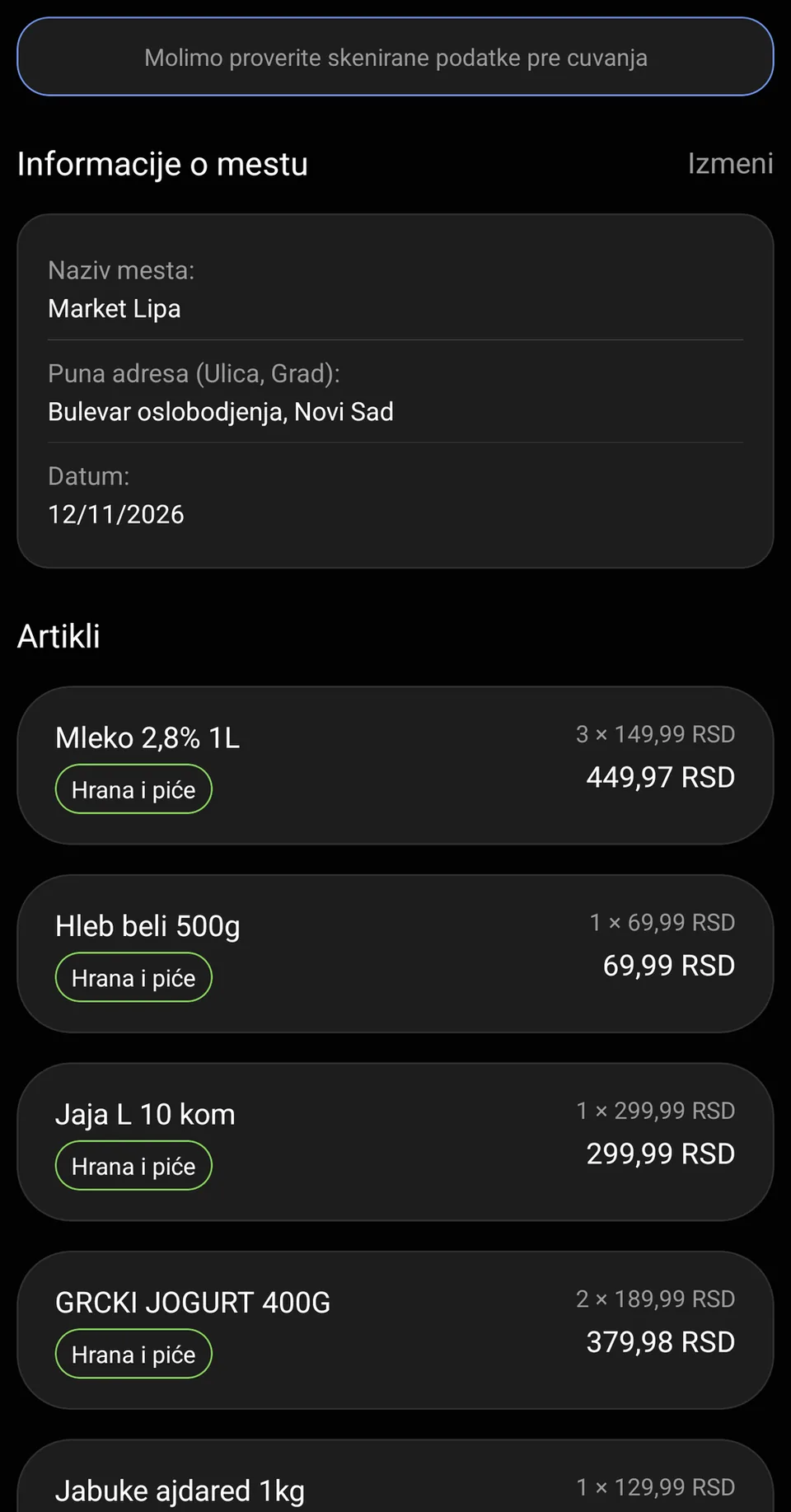
Check the result and tap Save.
Items, totals and the official receipt text
- Mleko 2,8% 1L
- 3 × 149.99 = 449.97 RSD
- Hleb beli 500g
- 1 × 69.99 = 69.99 RSD
- Jaja L 10 kom
- 1 × 299.99 = 299.99 RSD
- GRCKI JOGURT 400G
- 2 × 189.99 = 379.98 RSD
- Jabuke ajdared 1kg
- 1 × 129.99 = 129.99 RSD
Five items, 1,329.92 RSD in all, each in Food & Beverages. This account saves item names in Serbian; with English as your item-names language, the same lines would be translated into English.
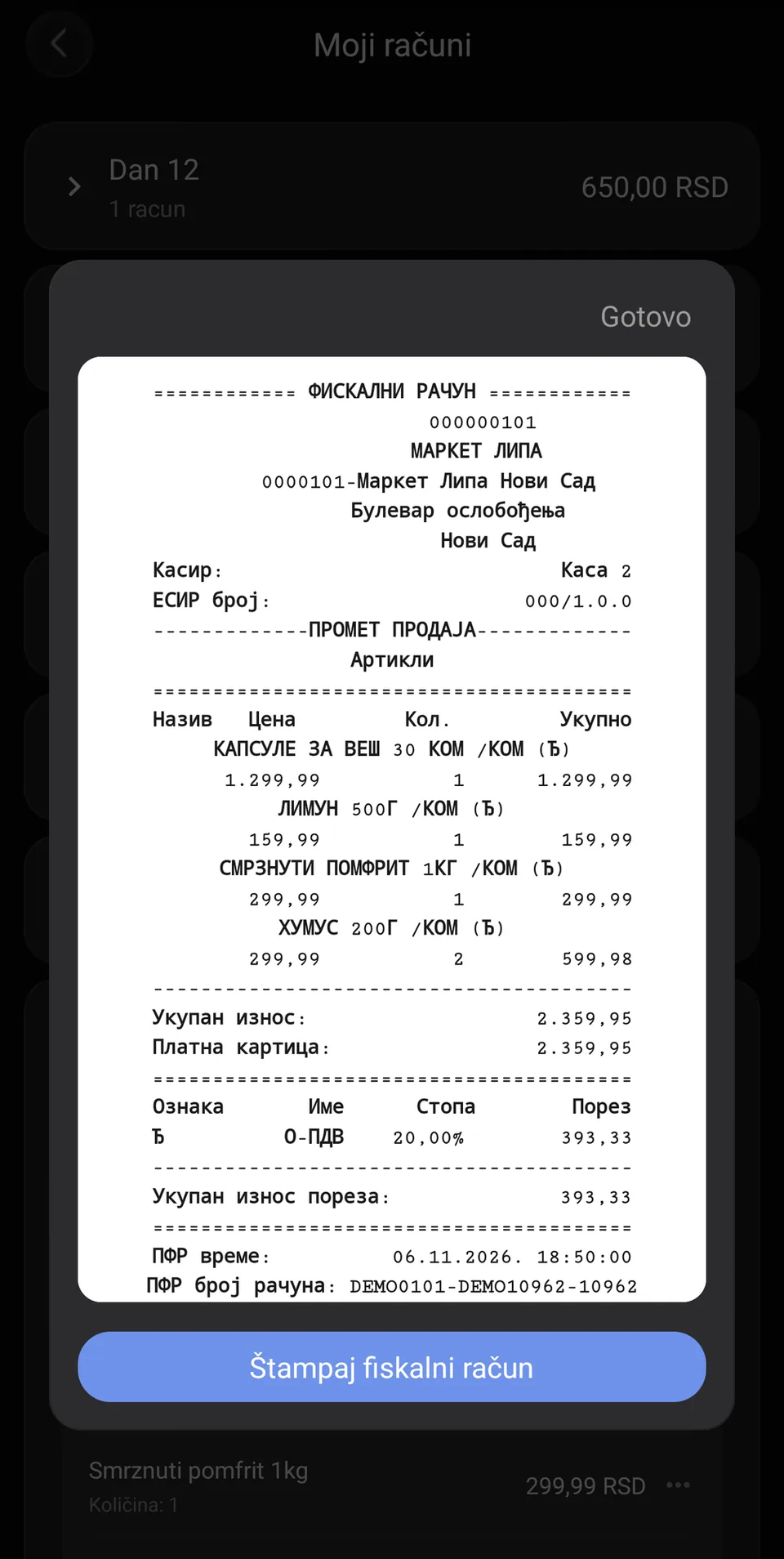
Open My Receipts
From Home, open My Receipts and tap the day of the purchase.
Show the official text
Tap the receipt to open its items, then tap Show Fiscal Receipt below them.
Print it if you need paper
Tap Print Fiscal Receipt to print a copy.
Because the prices come straight from the official record, they're exact, which makes the price history of each product especially reliable.
When the receipt isn't on the tax portal yet
Right after you pay, the seller's register may not have sent the receipt yet, or the items may arrive a few minutes after the receipt itself. The app handles both cases:
- Not registered yet, or the government site is down: you see Failed to verify receipt. with a Save for Later banner. Tap it, and the app confirms QR code saved! You can retry from the dashboard.
- Registered, but the items aren't ready: the app saves it as pending by itself and shows Items Not Ready Yet.
Pending receipts are listed on Home under Pending Verifications, each with its number of attempts, a Retry button and a delete option. You don't have to keep tapping Retry: the server re-checks each one by itself about 6, 12, 18, 30, 48, 84 and 150 hours after you saved it, within 7 days. When a check succeeds, the receipt is saved in dinars with its categories, and a Receipt verified notification opens it. After 7 days, only Retry checks again.
Good to know
Already saved that purchase another way, say by photo? The re-check won't add a copy. It holds the receipt with You may already have this receipt. Check your receipts, then save or delete it. Automatic re-checks need a confirmed email address.
IPS QR codes on bills and payment slips
Bills and payment slips in Serbia often carry an NBS IPS QR code. Scan it with the same scanner and you'll see IPS QR detected. Review and save the payment. The payee and amount are filled in, the AI suggests a name and category, and the payment is saved like a receipt. If the payee matches a bill you track, Saving marks this bill paid. If not, Track as monthly bill lets you follow that payee as a bill from then on. More in bills and reminders.
Limits and good to know
- Fiscal QR and IPS scans are unlimited on every plan and never use your AI photo scans. See what each plan includes.
- Fiscal receipts are always saved in dinars (RSD), and their currency can't be changed.
- Each fiscal receipt has its own number, so the same receipt can't be saved twice: a second scan shows This receipt has already been saved. Saving is disabled.
- Only Serbian codes are read. Any other QR code gives This QR code isn't a fiscal receipt link from Serbia. Fiscal codes from Republika Srpska aren't verified either, so take a photo of those receipts instead.
- A photo of a receipt with a readable Serbian fiscal QR code uses the official data instead of AI, so it doesn't use an AI scan either.
See your own spending, item by item
ReceiptStorm is free to download for iPhone and Android.



Frequently asked questions
Does scanning a fiscal receipt QR code use my free AI scans?
No. Fiscal QR and IPS scans are free and unlimited on every plan; only AI photo scans count against the Free plan's 5 per calendar month.
Why is the store name different from the shop sign?
The app shows the name the seller registered with the Tax Administration, which can differ from the name on the shop sign.
What if the receipt isn't registered yet?
Tap Save for Later. The receipt waits under Pending Verifications on Home, the app re-checks it automatically for up to 7 days, and you can tap Retry at any time.
Can I scan QR codes on receipts from other countries?
No. Only Serbian fiscal receipt QR codes and IPS payment codes are read. For receipts from anywhere else, including Republika Srpska, take a photo.
Can I print a fiscal receipt from the app?
Yes. In My Receipts, open the day, tap Show Fiscal Receipt, then Print Fiscal Receipt.