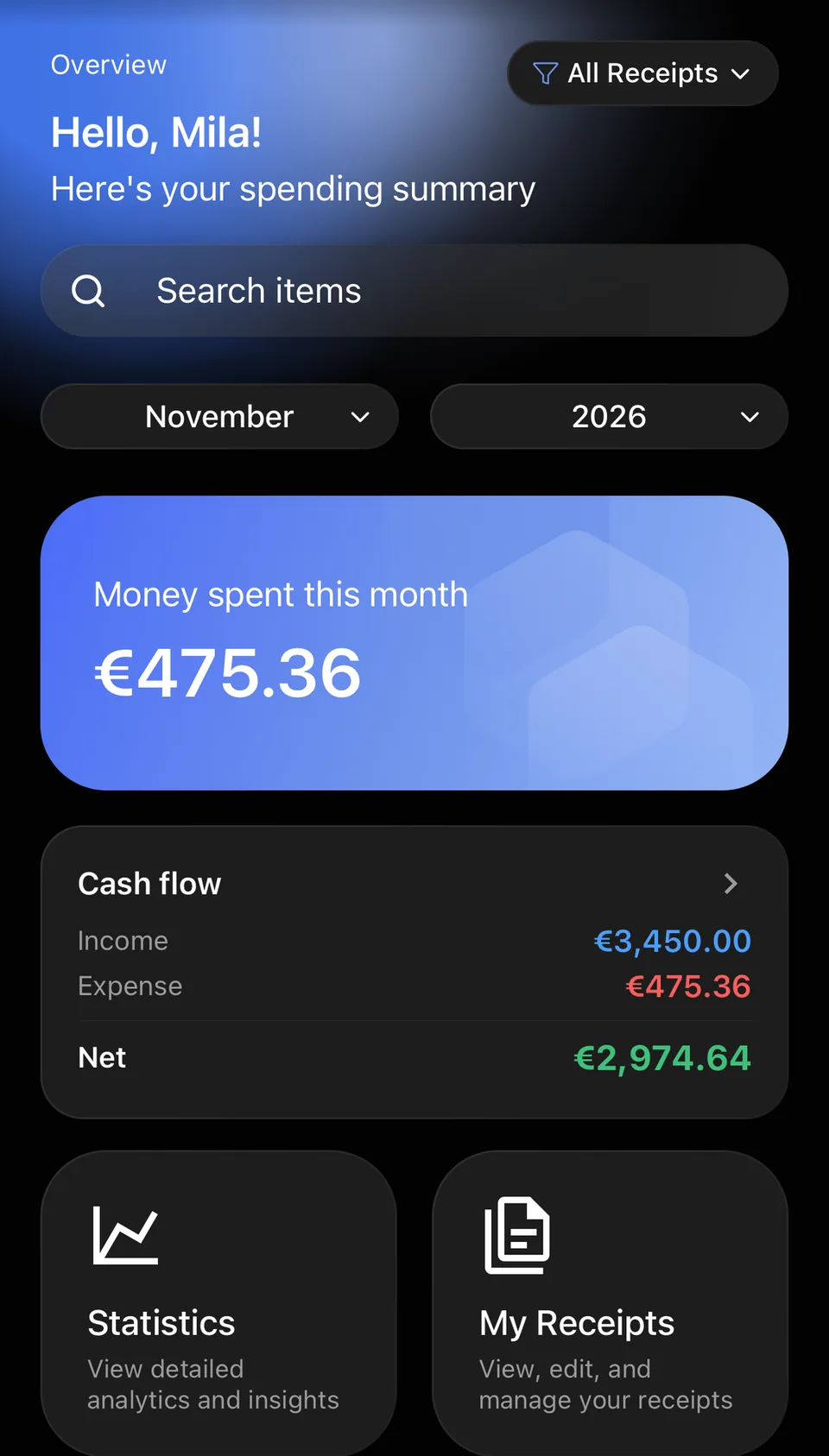
How to start tracking your spending with receipts
From sign-up to your first saved receipt: the two setup choices, the four ways to add a receipt, the free Ultra trial and where your spending appears.
Receipt scanner and spending tracker for iPhone and Android
Take a photo of a receipt and ReceiptStorm reads the store, the date and every item on it. See what you spend by category and store, and how the prices of the things you buy are changing.
Features
Scan it once. ReceiptStorm keeps the details and turns them into answers.
Take a photo or choose one from your gallery. AI reads the store, date, items and prices and sorts every item into a category. You check the result before it’s saved.
Search anything you’ve bought. Each product has its own history: how often you buy it, what you paid and where.
Set a monthly limit overall or per category and see early when you’re getting close. Add your income to follow money in and out, day by day.
Create a household of up to 5 people to share receipts, statistics, income and bills. The owner’s Pro or Ultra plan covers everyone.
Choose from 50 currencies; every total and chart uses the one you pick. On every plan, photo scans recognize the currency printed on a receipt and convert it at the exchange rate of the receipt’s date.
Plan your next shop around what you usually buy. ReceiptStorm suggests items from your purchase history and shows where you recently paid less for the same product. Share or print the list.
How it works
Photograph the receipt or type it in.
Look over what was read and correct any line before saving.
Statistics, budgets and personal inflation update with every receipt.
Statistics and personal inflation
Your receipts become a monthly picture you can read at a glance.
Spending by category and store, your most-bought items, and every receipt by day.
Each month is compared with the previous one and with the same month last year, with short notes on what changed.
Personal inflation shows how the prices of the products you buy again and again changed over the last 3, 6 or 12 months: overall, by category and by store.
Personal inflation comes from your own receipts, not a national average. It compares typical (median) prices at the same store, so one promotion doesn’t skew the result, and it needs a few repeat purchases before it can show a rate.
Every fiscal receipt issued in Serbia has a QR code. Scan it and ReceiptStorm imports the store, date, items and prices from the Tax Administration’s record and keeps the official receipt text as issued.
QR scanning works only with fiscal receipts issued in Serbia, on every plan.
Privacy
ReceiptStorm is paid for by subscriptions. There is no advertising in the app.
We don’t sell your data and use it only to run and improve ReceiptStorm.
Other users never see your receipts, unless you share a household with them.
We keep the photo of each receipt you save for 365 days, so you can open the original. Delete the receipt, turn photos off or delete your account, and they’re deleted too.
You pay through the App Store or Google Play. We never see your card.
Delete your account in the app and your receipts, budgets and settings are removed for good.
Pricing
Statistics, budgets and personal inflation are free on every plan. Paid plans add more AI scans and My Basket.
$0
For getting started and occasional receipts
$2.99per month
For scanning every receipt
$14.99per month
For the most accurate scans
Prices shown are App Store prices in the United States. On Google Play in the US, Pro is $3.49 a month. Prices differ by country and store, and the App Store or Google Play shows your exact price, in your currency, before you confirm. Cancel any time.
Blog
Learn how to get more out of every receipt.
From sign-up to your first saved receipt: the two setup choices, the four ways to add a receipt, the free Ultra trial and where your spending appears.
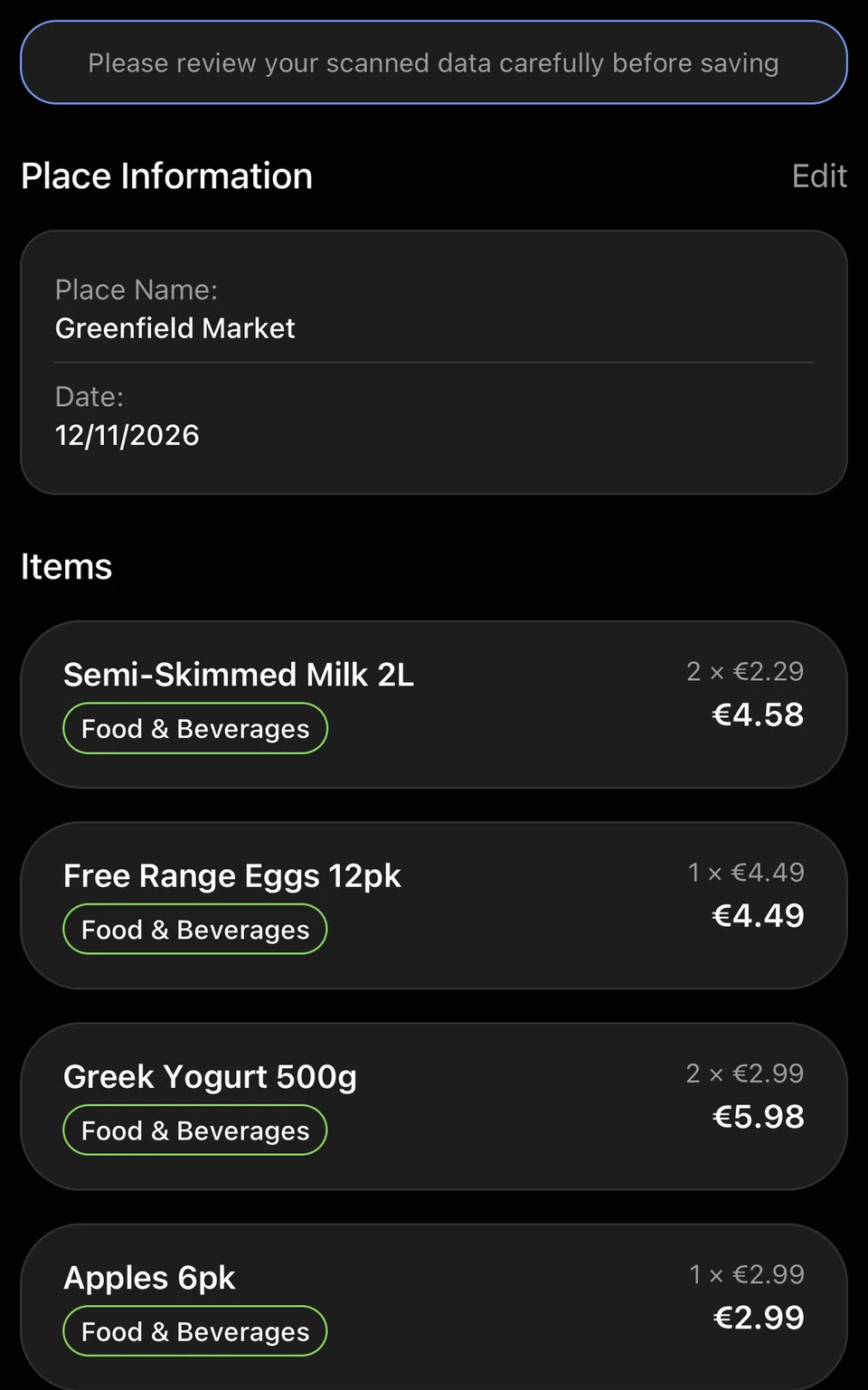
What happens between the photo and the saved receipt, what to check before you tap Save, and simple habits that make every scan more accurate.
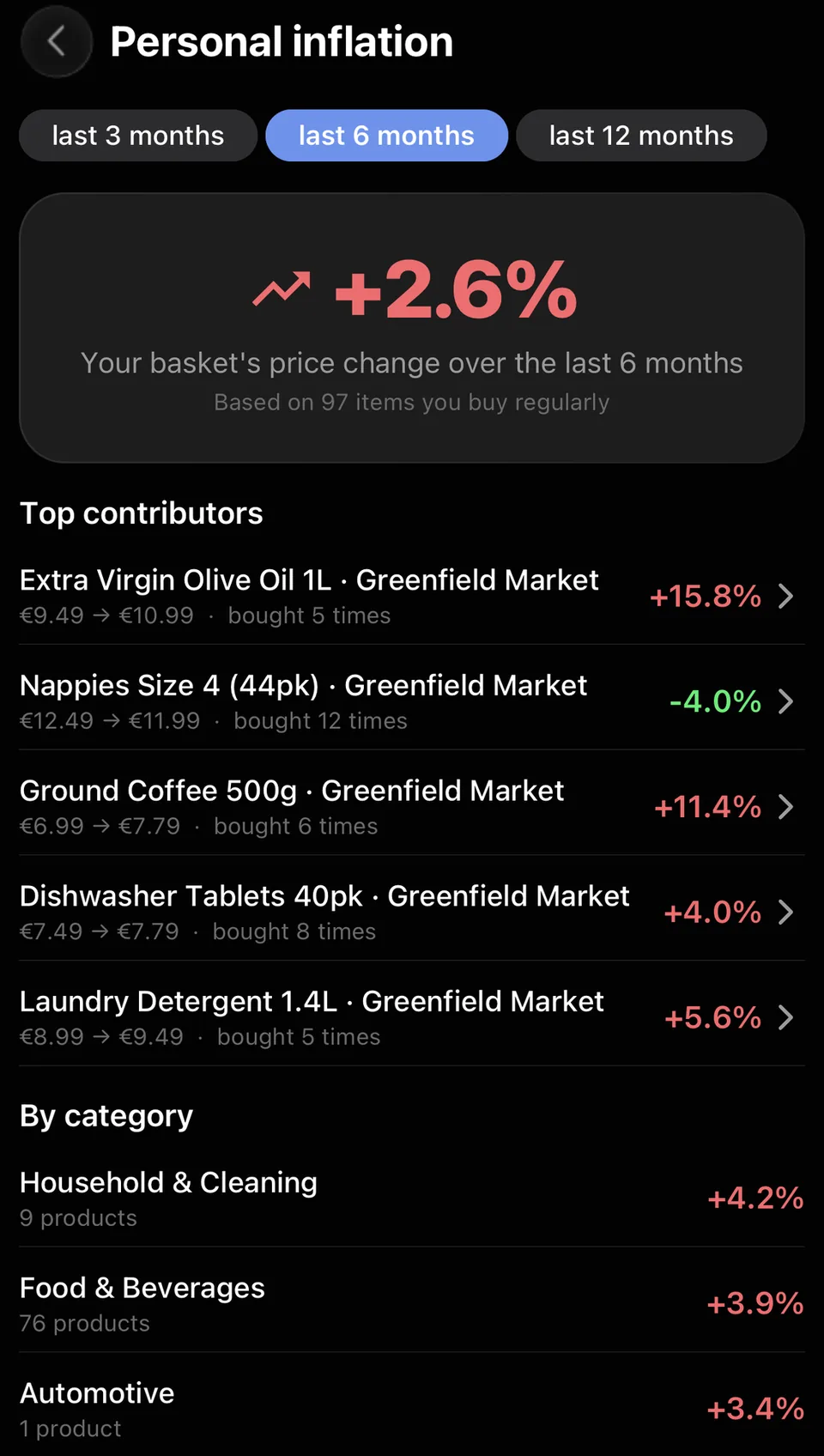
How ReceiptStorm turns your repeat purchases into your own inflation rate, how the number is calculated, and how to read top contributors, categories and stores.
ReceiptStorm is free to download for iPhone and Android.