Free receipt scanner app: Free, Pro and Ultra compared
ReceiptStorm is a free receipt scanner app with paid extras. See what Free, Pro and Ultra include, how the 30-day Ultra trial works and how to subscribe or cancel.
In this guide
ReceiptStorm is a free receipt scanner app with no time limit: the Free plan includes 5 AI photo scans per calendar month, unlimited manual entry and Serbian QR scans, plus statistics, personal inflation, budgets, income, bills and household sharing. Pro adds unlimited AI photo scans and My Basket, and Ultra adds premium scans with our most accurate model and two bill extras. This guide compares the three plans feature by feature; prices differ by country and store, so they're on the pricing page rather than here.
Free, Pro and Ultra compared
| Feature | Free | Pro | Ultra |
|---|---|---|---|
| AI photo scans | 5 per calendar month | Unlimited | Unlimited |
| Premium scans with our most accurate model | No | No | 300 every 30 days, then standard scans |
| Manual entry, Serbian fiscal and IPS QR codes | Unlimited | Unlimited | Unlimited |
| Currency recognized on photo scans | Yes | Yes | Yes |
| Statistics, personal inflation, budgets, income, calendar, bills | Yes | Yes | Yes |
| Household of up to 5 people | Yes | Yes | Yes |
| My Basket and Suggested bills | No | Yes | Yes |
| Bill price-rise alerts and your bank's rate | No | No | Yes |
In other words, the plans differ only in AI photo scans, premium scans, My Basket and the bill extras. Everything else, from the Statistics tab to bill reminders, works the same on every plan.
Is ReceiptStorm a free receipt scanner app?
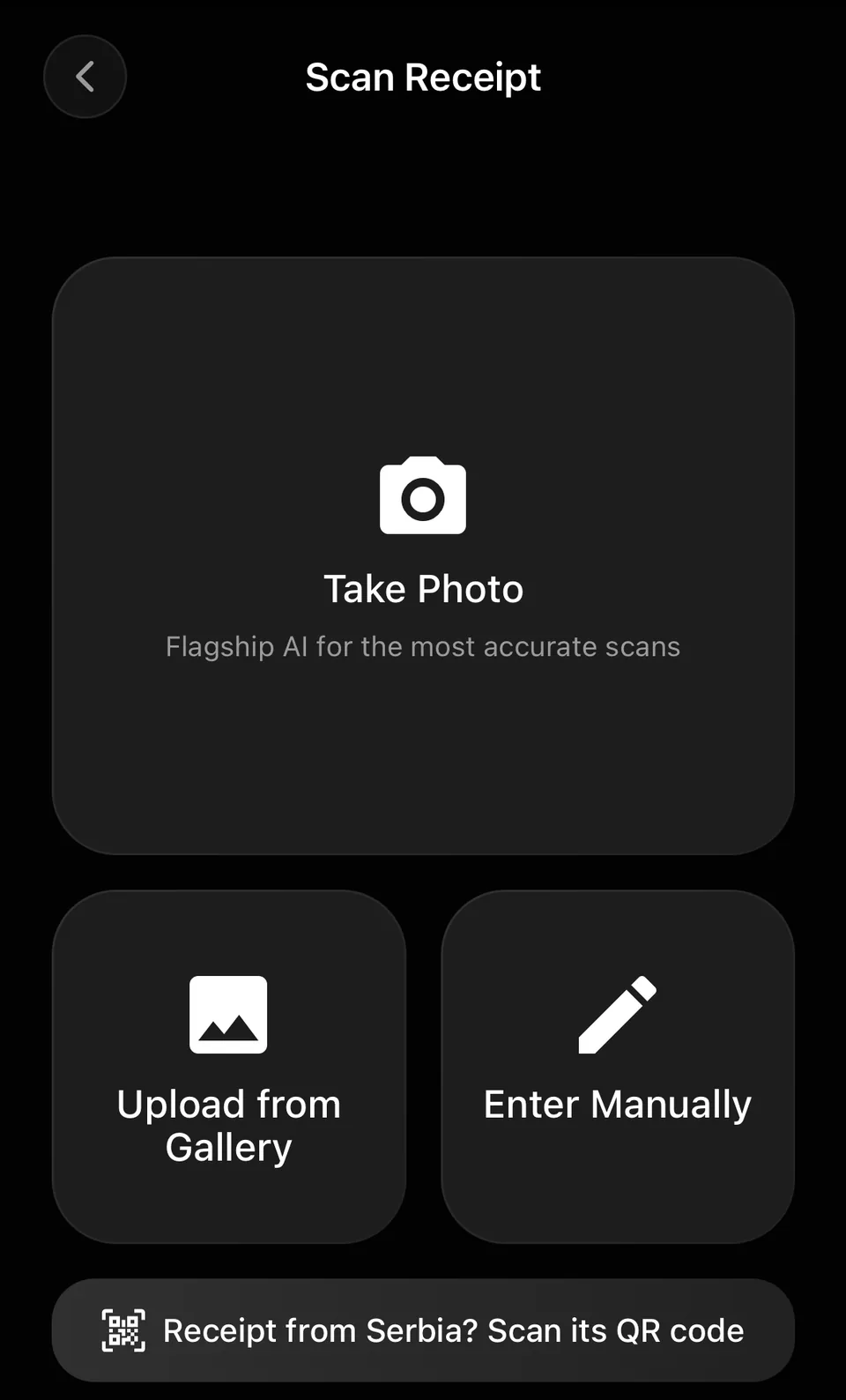
Yes. Free has no time limit and comes with 5 AI photo scans per calendar month, used by Take Photo and Upload from Gallery. They refill on the 1st, and a scan that fails is refunded. Manual entry and Serbian fiscal and IPS QR codes don't count and are unlimited, so in Serbia you can save every fiscal receipt on Free. Home shows how many AI scans you've used, and when they're gone the app says Free AI scans used up before the camera opens.
What Pro adds
- Unlimited AI photo scans, under fair use: a safety limit against automated abuse that normal use doesn't come near.
- My Basket: a shopping list built from your purchase history, with Better Deals Available when you or your household recently paid less for the same product at another store.
- Suggested bills: regular payments the app spots in your receipts, ready to track as bills.
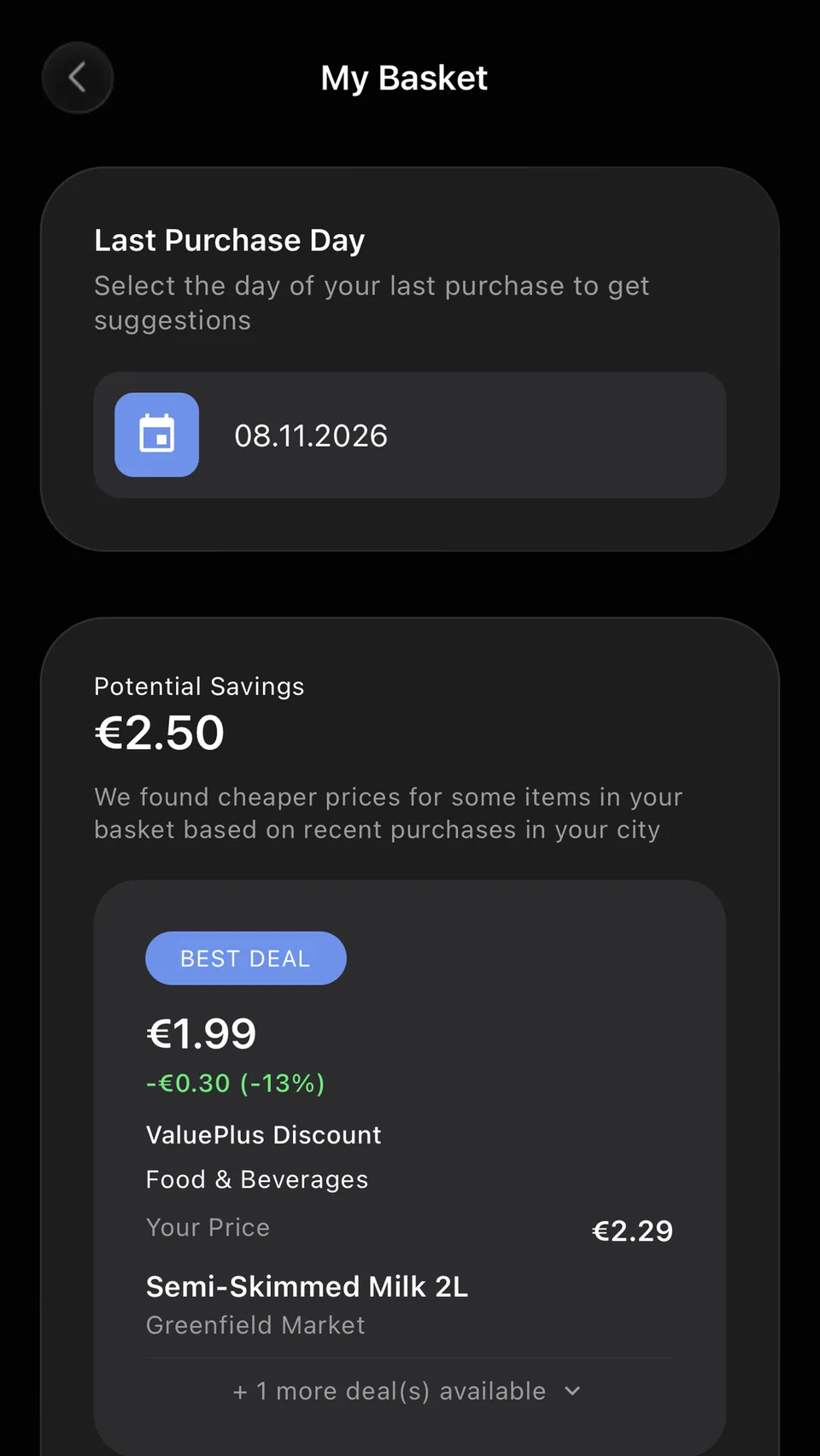
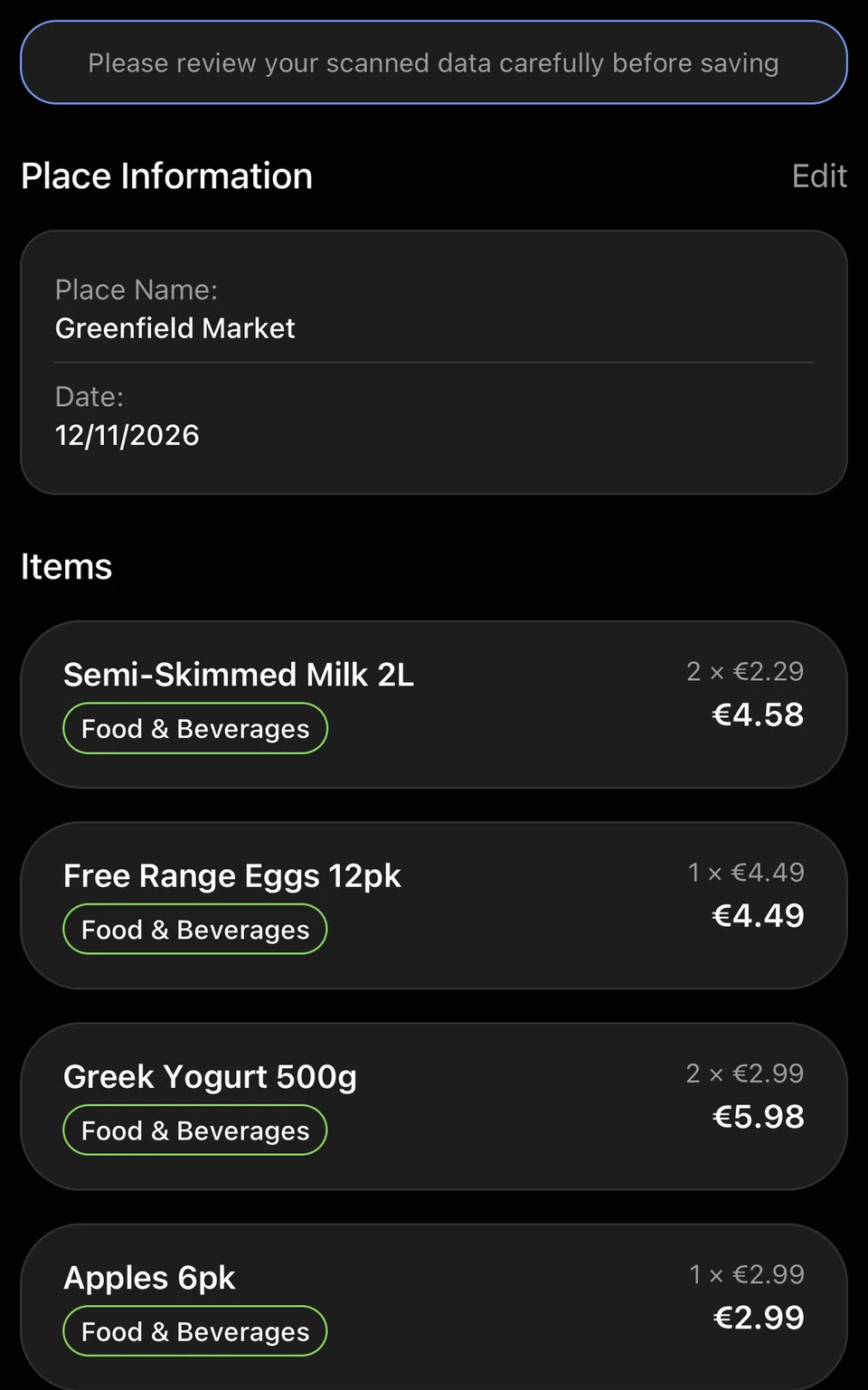
- Your Price, Greenfield Market
- €2.29
- Best Deal, ValuePlus Discount
- €1.99
- Difference
- −€0.30 (−13%)
- Potential Savings, whole basket
- €2.50
Potential Savings adds up the best deal of every basket item that has one, so the milk accounts for €0.30 of the €2.50. The comparison uses only your own or your household's purchases from the last month, in the city of your latest purchase.
What Ultra adds
Ultra includes everything in Pro, plus up to 300 premium scans every 30 days. A premium scan reads the photo in one pass with our most accurate model, which helps on faded or hard-to-read receipts. After the 300, or if a premium scan fails, scanning simply continues as standard and stays unlimited; the app doesn't show a counter of premium scans left. The difference is explained in how AI receipt scanning works.
Ultra also adds two bill extras: an alert when the price of a fixed bill goes up, based on the payments you've linked to it, and your bank's rate for bills in a foreign currency, learned from the bank charges you enter.
How the 30-day Ultra trial works
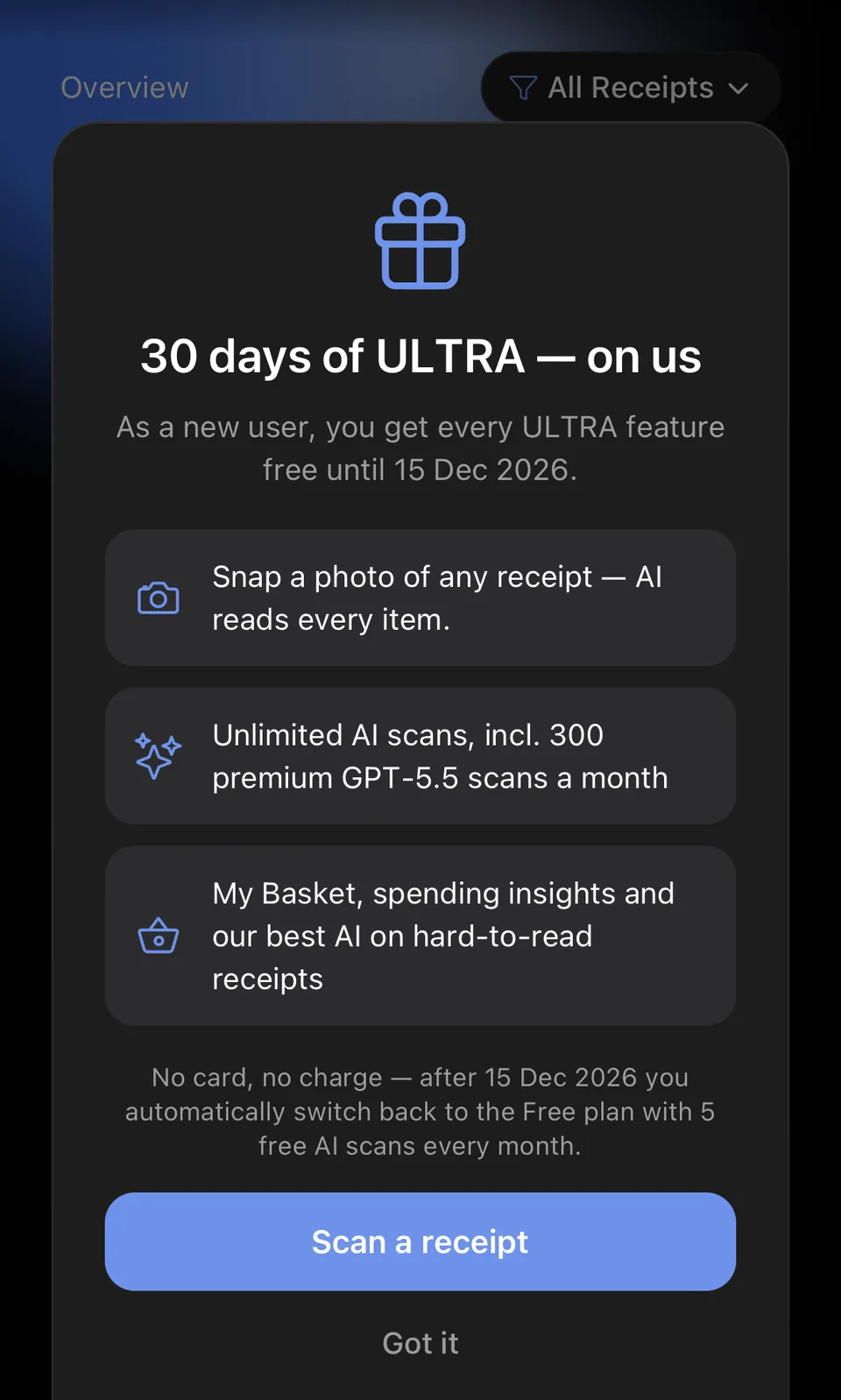
- Every new account gets Ultra free for 30 days, once, starting the day the account is confirmed.
- No card is needed and nothing is bought: the trial is not a subscription.
- It includes all of Ultra: unlimited AI scans with up to 300 premium scans, My Basket, Suggested bills and price-rise alerts.
- When it ends, the account is on Free. Nothing is charged, your receipts and statistics stay, and you get 5 fresh AI scans for the rest of that month.
- Subscribing during the trial starts billing right away, so if you want to keep everything, pick Ultra.
- The trial is personal: it doesn't give Ultra to the other members of your household.
Good to know
After the trial, My Basket locks again, and Suggested bills and the Ultra bill extras are hidden. Your bills and their reminders keep working on Free. New to the app? See how to get started.
One plan for the whole household
In a household of up to 5 people, the owner's plan covers everyone: if the owner has Pro or Ultra, every member gets it. Members can't buy a plan themselves (the app shows Managed by your household owner), and a member's own store subscription is ignored while they're in the household. So if you already pay for Pro or Ultra, create the household yourself and your plan covers everyone. On Free, the whole household shares one allowance of 5 AI photo scans per calendar month.
How to subscribe, switch or cancel
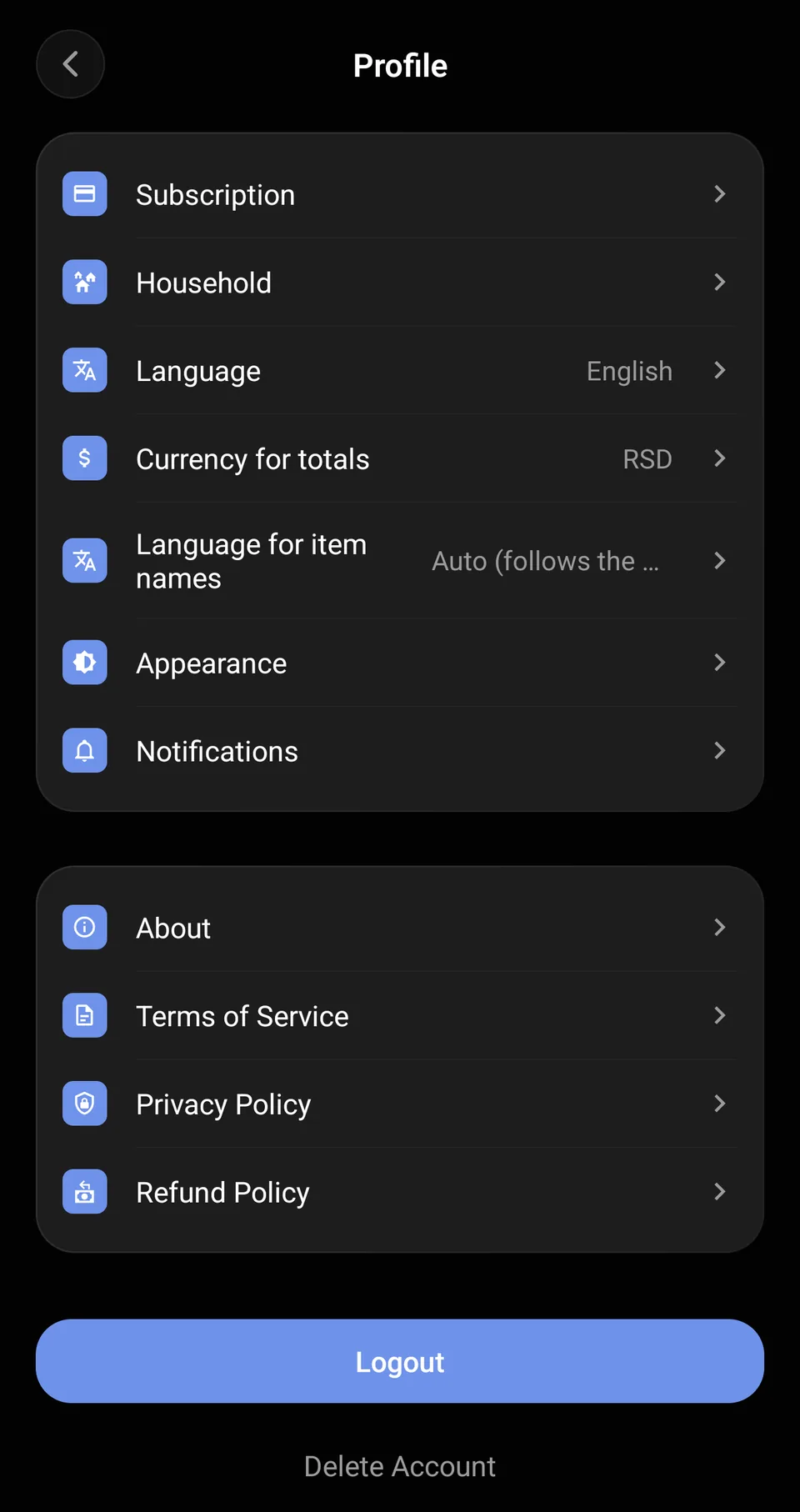
Open your plan
Go to Profile → Subscription and tap Go to Pricing or See All Plans.
Choose Pro or Ultra
Tap Upgrade to PRO or Upgrade to ULTRA (during the trial: Subscribe to PRO or Subscribe to ULTRA) and confirm in the App Store or Google Play.
Manage or cancel
On the Subscription screen, Manage Subscription and Cancel Subscription open your store's subscription page, where the change is made.
- Plans are monthly and renew automatically. There are no yearly plans.
- Upgrades apply at once. Downgrades and cancellations take effect at the end of the period you've paid for, and paid features stay until then.
- On a new phone, Restore Purchases brings back an existing subscription.
- Deleting your account doesn't cancel a store subscription, so cancel it in the store first.
Tip
You can also manage subscriptions in your App Store account or on Google Play. Refunds are handled by Apple or Google; our refund policy explains how.
See your own spending, item by item
ReceiptStorm is free to download for iPhone and Android.



Frequently asked questions
What happens when my 5 free AI scans run out?
The app says Free AI scans used up before the camera opens. Manual entry and Serbian QR scans stay unlimited, and your 5 AI photo scans refill on the 1st of the next month. Pro and Ultra have unlimited AI photo scans; see the pricing page.
Do I need a card for the Ultra trial?
No. The 30-day trial needs no card and buys nothing. When it ends, your account simply continues on Free.
Are statistics and personal inflation free?
Yes. Statistics, insights, personal inflation, price history, budgets, income, the calendar and bills are included on every plan.
Is there a yearly or family plan?
There are monthly plans only. For families, ReceiptStorm has its own household feature: the owner's Pro or Ultra covers up to 5 people.
How do I cancel my subscription?
In Profile → Subscription, tap Cancel Subscription to open your App Store or Google Play subscriptions. Paid features stay until the end of the period you've paid for.
How much do Pro and Ultra cost?
Prices differ by country and store, and the store shows the exact price before you confirm. See the pricing page.